Android Application

Download the u7777 App & Latest APK

Get the u7777 new app installed in under two minutes. The download button routes to the official u7777 destination, which always serves the current build — so you are never left on an outdated u7777 APK with missing games or broken promotions.

u7777 game app icon u7777 game Casino & Slots · Android 5.0+ · ~30 MB · Free
  • Official source only
  • No registration to download
  • Full 100+ game lobby
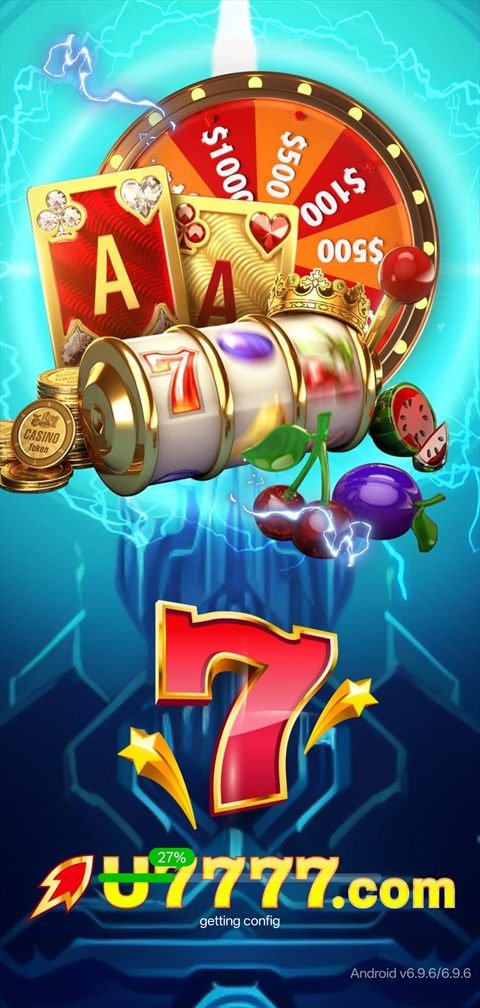
u7777 app splash screen showing the current Android build version
v6.9.6Latest Build ~30 MBInstall Size Android 5+Supported

Downloading on a desktop?

The u7777 app is built for phones, so the fastest route is to open this page on your handset. Scan the code area with your phone camera, or simply open u7777-game.com.pk/download.html in your mobile browser and tap the download button there. If you would rather have the link sent to you, message our Telegram support desk and we will send it directly.

Android Installation

How to Install the u7777 APK — Step by Step

Android does not allow silent installs from outside the Play Store, which is a security feature rather than a problem. You will be asked to grant one permission the first time; after that, future u7777 latest app updates install in a single tap.

Tap the download button

Use any Download App button on this page. It opens the official u7777 destination where the current APK is hosted. Your browser will begin the download automatically and show progress in the notification shade.

Expect roughly 30 MB. On a normal mobile connection this takes a few seconds.

Allow installs from your browser

When you open the downloaded file, Android may warn that your browser is not permitted to install unknown apps. Tap Settings in that prompt, switch on Allow from this source, then press back. You only ever do this once per browser.

On Android 7 and older the equivalent toggle lives under Settings → Security → Unknown sources.

Open the file and install

Tap the downloaded APK from your notification shade or the Downloads folder, then press Install. Installation takes a few seconds. If Play Protect shows a scan prompt, allow it to complete — it is a routine check on any app installed outside the Play Store.

Register your account

Launch the app, tap Register, enter your mobile number and set a password. Confirm the SMS verification code. Verifying your number is also one of the beginner missions, so it earns you reward credit straight away.

Claim the welcome package

Open the Promo tab from the bottom navigation and activate the ₹10,000 welcome offer plus any live beginner tasks. Read the wagering requirement attached to each component before accepting — it is displayed on the same screen.

Head to the slot lobby

Tap Slot in the category row, or use the search bar if you already know the title. Our full slot catalogue lists 75 titles grouped by mechanic if you would rather browse before you open the app.

Every Device

Android, iPhone or Desktop

The APK is Android-only, but nobody is locked out. Here is the best route on each platform.

Android — native APK

The best experience by a clear margin. Game artwork is cached locally, sessions stay signed in, push notifications carry promo alerts, and the lobby opens instantly rather than reloading through a browser.

  • Android 5.0 (Lollipop) or newer
  • Roughly 30 MB install, ~120 MB after caching
  • Updates install over the existing app

iPhone & iPad — home screen app

iOS does not permit APK installs, so use the web app instead. Open the platform in Safari, tap the Share icon, then Add to Home Screen. The result launches full-screen without browser chrome and behaves almost identically to a native install.

  • iOS 13 or newer, Safari recommended
  • No App Store download required
  • Same account, same balance, same bonuses

Desktop browser

Everything works in Chrome, Edge, Firefox or Safari on a computer — registration, deposits, the full slot library and support. The interface is designed around a phone-shaped viewport, so expect a narrower layout, but nothing is missing.

  • Any modern browser, no plugins
  • Useful for reading terms and records comfortably
  • Switch to mobile for the smoothest gameplay
Before You Install

Device Requirements

The u7777 app is deliberately light. It runs comfortably on budget Android hardware that struggles with heavier casino clients, which is one of the reasons it is popular on mid-range devices across Pakistan.

u7777 app technical requirements
Applicationu7777 game (Android APK)
Latest buildv6.9.6
Operating systemAndroid 5.0 (Lollipop) and above
Download sizeApproximately 30 MB
Free space needed150 MB recommended (cached game assets)
RAM2 GB minimum, 3 GB or more recommended
Connection3G works; 4G, 5G or Wi-Fi recommended
PermissionsStorage (for caching), notifications (optional)
PriceFree to download and install
Currency shownPKR
Interface languageEnglish (plus other regional options in-app)

What you get in the app

  • The complete slot lobby with category tabs and search
  • Promo board with daily and weekly missions
  • Wallet with deposit, withdrawal and fund records
  • VIP ladder showing your level and salary rewards
  • Invite dashboard with your personal link and QR code
  • Message centre with live customer service
  • Security centre with login-device history
  • Language switching and interest / settlement rules

Keeping the app up to date

Because the APK is installed outside the Play Store, updates do not arrive automatically. The app prompts you when a new build is available, and every u7777 new APK release is also announced in our Telegram channel. Installing an update writes over the existing app — your account, balance and settings are untouched.

Release Notes

What Recent u7777 App Builds Changed

A short summary of the direction recent releases have taken. Exact build contents are published by the operator; this is an overview of what players notice.

  • v6.9.6Current build shown on the app splash screen. Lobby loading and category switching are noticeably faster than earlier 6.x releases, and the search field now sits directly on the home screen.
  • v6.9.xMission board reorganised into beginner, daily and weekly groups with clearer progress indicators, so it is easier to see which tasks still have reward credit attached.
  • v6.8.xSecurity centre expanded with login-device history and a third-party login guarantee, letting you review and revoke device access without contacting support first.
  • v6.7.xInvite dashboard gained a shareable QR code alongside the referral link, plus a clearer commission-rate breakdown.

Version information reflects what is visible in the app at the time of writing and may change with any new release. Always take the u7777 latest APK from the official download destination linked on this page.

If Something Goes Wrong

Install Troubleshooting

Five problems account for almost every failed install. Each has a one-minute fix.

"App not installed" error

Almost always a leftover copy of an older build. Uninstall any existing u7777 app first, then install the new file. If the error persists, clear your browser's download cache and re-download — a partial file will fail every time.

Download stops partway

Usually an unstable mobile connection. Switch to Wi-Fi or move somewhere with better signal, delete the partial file from your Downloads folder, and start again. Do not attempt to install a partial APK.

"Blocked by Play Protect"

A standard warning shown for any app installed outside the Play Store — it is not a virus report. Choose Install anyway if you took the file from the official link on this page. If you obtained it anywhere else, delete it and download again from here.

Not enough storage

The install itself is around 30 MB but the app caches game artwork afterwards. Free up at least 150 MB before installing, otherwise games will fail to load even though the app opens normally.

App opens but games will not load

Nearly always a network or cache issue. Close the app fully, reconnect to a stable network and reopen. If a single title still refuses to load, try another — occasionally an individual provider is under maintenance rather than the platform.

Cannot receive the SMS code

Check that the number was entered with the correct country format and that your signal is stable, then request a resend after the countdown expires. If the code still does not arrive, message the Telegram support desk — this is the single most common thing they resolve.

Downloading Safely — What Actually Matters

Searches for u7777 apk, u7777 latest apk and u7777 new apk turn up a long tail of mirror sites, file-locker pages and repackaged builds. Most are harmless but outdated; some are not harmless at all. The rule is simple and it never changes: take the file from a source that routes to the operator's own destination, which is exactly what every download button on this page does.

Signs an APK is not the real thing

Be suspicious of any download that asks you to complete a survey, install a "downloader" app first, disable Play Protect permanently, or grant permissions unrelated to a gaming app — contacts, SMS reading or accessibility services. A legitimate gaming APK needs storage access and optional notifications, nothing more.

Why the version number matters

An outdated build is the most common cause of "the game will not open" reports. Older APKs lose compatibility with the current lobby, promotions stop displaying correctly, and newly added slots simply do not appear. If anything behaves strangely, checking that you are on the current build should be your first move, not your last.

Keeping your account secure

Use a password you have not reused anywhere else, complete SMS verification, and review the login-device list in the security centre occasionally. Nobody legitimate will ever ask for your password — not support, not a Telegram admin, not anyone in a community group. If someone does, they are not who they claim to be.

Related searches

  • u7777 apk
  • u7777 app download
  • u7777 latest apk
  • u7777 new apk
  • u7777 latest app
  • u7777 new app
  • u7777 game download
  • u7777 app install
  • u7777 android app
  • u7777 apk update
Answers

Download & Install FAQ

The build served through the official destination linked on this page is the operator's own release. The Play Protect warning you may see is shown for every app installed outside the Play Store and is not a malware finding. What genuinely matters is the source: never install a u7777 APK from a random mirror, a file locker or a link shared by a stranger.

Normally no — a new build installs over the existing one and keeps your account, balance and settings. The exception is the "App not installed" error, which is usually caused by a signature mismatch with an old copy. In that case, uninstall the previous app and install fresh.

The download is around 30 MB. The first launch is the heaviest session because the app caches game artwork; after that, ordinary slot play is light — comparable to browsing image-rich web pages. If you are on a limited data plan, do the initial install and first launch on Wi-Fi.

Not as an APK — iOS does not support that format. Open the platform in Safari, tap Share, then Add to Home Screen. You get a full-screen icon that launches straight into the lobby, using the same account and balance as the Android app.

No. Downloading and installing the app requires no account. You only register once the app is open, and you only deposit if and when you choose to. Registering before your first spin does matter for one reason: the ₹10,000 welcome package applies to new accounts, so claim it before you start playing.

Try a different browser first — some in-app browsers inside social media apps block downloads. If it still fails, message our Telegram support desk; they can send a working link directly and confirm whether anything is temporarily down.

Two Minutes From Now

Install the u7777 App and Claim ₹10,000

Download the current build, register with your mobile number and activate the welcome package before your first spin.

Telegram Support